
AI Audio to Text Converter Online
Use AI audio to text to transcribe audio to text from MP3 files, video audio, interviews, lectures, podcasts, meetings, and voice notes in your browser.
Audio to Text Examples
Prepare Music-Heavy Audio Before Transcription
Background music can make a spoken recording harder to review. Separate the foreground voice first, then transcribe the cleaner voice track here.
Remove Background Music Before TranscriptionMore Tools


Trusted by creators, students, researchers, teams, and documentation workflows






























How to Transcribe Audio to Text Online
Convert uploaded audio or live voice notes into an editable transcript with a simple browser-based workflow.
Upload Audio or Start Dictating
Add MP3, MP4, WAV, M4A, WebM, FLAC, AAC, OGG, or another supported file, or open the voice-note recorder for live dictation.
Generate an AI Transcript
Choose the speech language, then let the audio to text converter process the recording into editable transcript text.
Edit, Format, and Download
Review the text, choose plain TXT, timestamped TXT, SRT, DOCX, or PDF, add speaker identification when needed, and download the result.
What You Can Create with AI Audio to Text
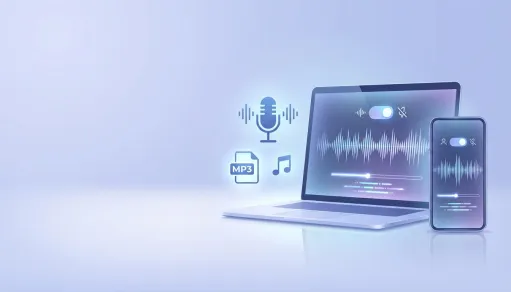
MP3 Transcription and Audio File Conversion
Convert MP3 files and other common recordings into editable text for articles, notes, quotes, summaries, documentation, and searchable archives.
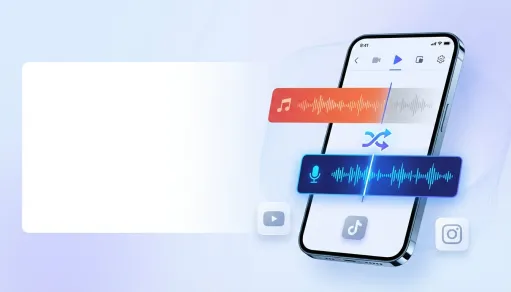
Caption and Subtitle Drafts
Turn video audio into transcript text, then export SRT or timestamped text to speed up caption editing and publishing workflows.
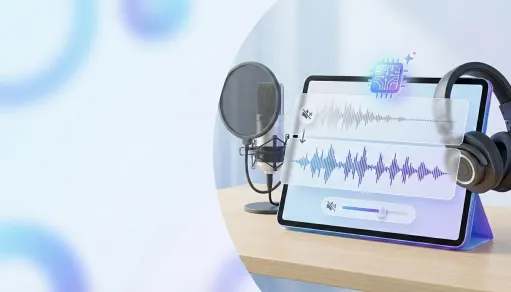
Voice Notes and Live Dictation
Capture ideas, reminders, outlines, and meeting notes with the built-in voice-note workflow, then copy or download the text.
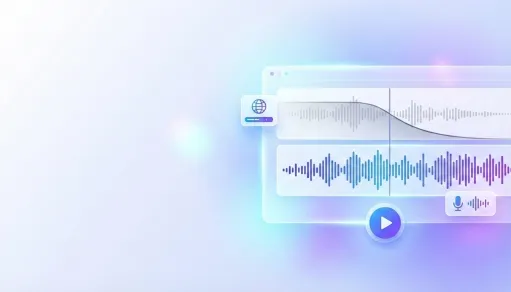
Editable Transcripts for Teams
Review transcript text, clean up important terms, choose speaker identification, and export DOCX, PDF, TXT, or SRT for handoff.
Audio to Text Features

Free Online Transcription Access
Start audio transcription free in the browser, with daily free usage available in the current workspace configuration.

Common Audio and Video Formats
Upload MP3, MP4, WAV, M4A, AAC, AIFF, WebM, FLAC, OGG, WMA, OPUS, 3GP, and other supported formats up to 500MB and 30 minutes.

Editable Transcript Workspace
Review the generated text, correct names or specialized terms, and prepare a cleaner transcript before export.

Multiple Export Formats
Download plain TXT, timestamped TXT, SRT, DOCX, or PDF depending on whether you need notes, captions, or a shareable document.

Speaker Identification Option
Add speaker identification when your transcript needs clearer separation between voices in meetings, interviews, or discussions.

Voice Note Dictation Mode
Record live speech into text for quick notes, brainstorming, study summaries, meeting takeaways, and hands-free writing.
How People Use AI Audio to Text

Maya R.
Podcast Producer

Colin J.
Video Editor

Amina S.
Online Educator

Priya N.
Research Coordinator

Lucas T.
Operations Lead

Rachel K.
Content Strategist
AI Audio to Text FAQ
- ?
What is AI audio to text?
AI audio to text converts spoken recordings into editable transcript text. You can use it for interviews, podcasts, lessons, meetings, MP3 transcription, captions, notes, and documentation.
- ?
Can I transcribe audio to text for free?
Yes. The current MusicRemover workspace is configured for free online transcription access, with daily guest usage available up to the configured limit of 50 requests.
- ?
Can I use it as an audio to text converter for MP3 files?
Yes. MP3 transcription is supported through the upload workflow, along with MP4, WAV, M4A, AAC, AIFF, WebM, FLAC, OGG, WMA, OPUS, 3GP, and more.
- ?
What export formats are available?
You can prepare transcript output as plain TXT, timestamped TXT, SRT, DOCX, or PDF, depending on whether you need notes, captions, or a shareable document.
- ?
Does the tool support voice note dictation?
Yes. You can use the voice-note mode to dictate ideas, meeting notes, study notes, and drafts directly into editable text.
- ?
Can it identify different speakers?
The transcript editor includes a speaker identification option so multi-speaker recordings can be easier to review and organize.
- ?
What are the upload limits?
The current upload flow supports files up to 500MB and recordings up to 30 minutes for file-based transcription.
- ?
How accurate is audio transcription?
Accuracy depends on speaker clarity, background noise, accents, microphone quality, and terminology. Review important names, numbers, and specialized words before publishing.
- ?
Can I use transcripts commercially?
Commercial use depends on your rights to the original recording, the content in the audio, MusicRemover product terms, and the rules of the platform where you publish. Transcribe recordings you own or have permission to process.
- ?
Is audio to text the same as audio translation?
No. Audio transcription turns speech into text in the same language. Audio translation changes speech or text into another language.