
AI Karaoke Maker Online


Use this karaoke maker to turn songs, MP3 files, and videos into karaoke-ready tracks with AI vocal separation, editable lyrics, and a customizable video workspace.
Supports MP3, WAV, M4A, M4B, ACC, M4P, M4R, OPUS, OGG, FLAC, AIF, AIFF
More Tools


Trusted by singers, music teachers, cover makers, event hosts, and video workflows






























How to Make Karaoke Online
Create a karaoke-ready track or lyric video from an uploaded song, MP3/audio file, or video in three clear steps.
Upload Audio or Video
Add an MP3 or another supported audio file up to 50MB, or upload a supported video file up to 500MB when you want to build from video audio.
Let AI Build the Karaoke Project
The AI karaoke maker separates instrumental and vocal tracks, prepares lyric segments, and opens a preview workspace for review.
Edit Lyrics, Style the Video, and Export
Choose tracks, edit lyric timing, set aspect ratio, background, title, and text styles, then export the finished karaoke video as MP4.
What You Can Create with the Karaoke Maker
MP3 to Karaoke Tracks
Turn MP3 and other supported audio files into karaoke-ready material by separating the instrumental and vocal layers for sing-along use.
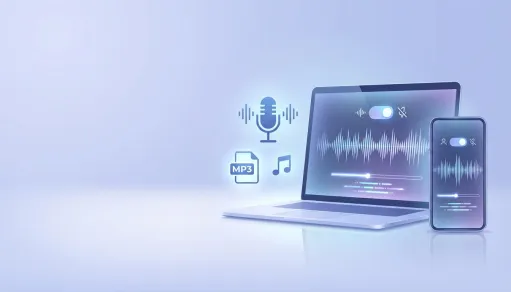
AI Vocal and Instrumental Separation
Preview instrumental, vocal, and original track options so you can choose the sound that works best for rehearsal, lessons, or production.
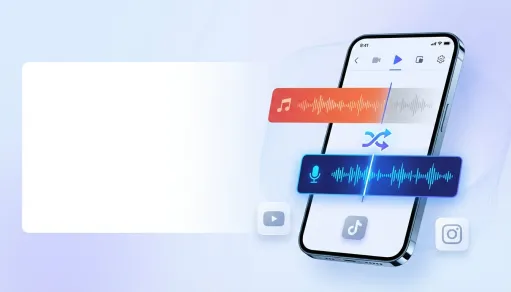
Editable Lyric Video Workspace
Adjust lyric lines, word timing, subtitle placement, alignment, colors, outlines, font size, and title display inside one karaoke editor.
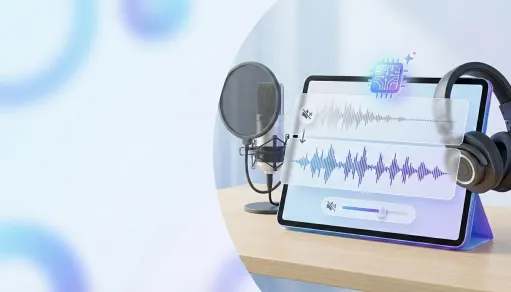
Karaoke Video Export
Customize aspect ratio, background color, image, or video, then merge the selected audio and lyric styling into a downloadable MP4.
Karaoke Maker Features

Free Online Karaoke Access
Start creating karaoke projects in the browser with free guest access and a daily limit of 50 requests.

Audio and Video Uploads
Upload common audio formats such as MP3, WAV, M4A, AAC, OGG, FLAC, and AIFF up to 50MB, or video formats such as MP4, MOV, M4V, AVI, and 3GP up to 500MB.

Instrumental, Vocals, and Original Tracks
Switch between karaoke output, instrumental, vocal, and original track views to choose the best sound before exporting.

Lyric Line and Word Timing Editor
Split, merge, add, remove, and edit lyric lines, then adjust word-level start and end times for a clearer sing-along video.

Video Layout and Style Controls
Choose 16:9, 4:3, or 9:16 aspect ratios, set subtitle position, align lyrics, customize colors, outlines, shadows, title text, and font style.

Background Image, Video, or Color
Use a solid color, upload a background image, choose a video background, preview the karaoke result, and export it as an MP4 file.
How People Use the Karaoke Maker

Hannah L.
Vocal Student

Andre V.
Cover Creator

Jules M.
Music Teacher

Priya C.
Event Organizer

Omar S.
Video Editor

Emily J.
Choir Assistant
Karaoke Maker FAQ
- ?
What does a karaoke maker do?
A karaoke maker turns a song, audio file, or video into karaoke-ready material by separating vocals and instrumentals, preparing lyrics, and helping you export a sing-along video.
- ?
Can I convert MP3 to karaoke online?
Yes. Upload an MP3 or another supported audio file, let the AI karaoke maker separate the track, then edit lyrics and export a karaoke video.
- ?
Is this an AI karaoke maker?
Yes. The workflow uses AI processing to prepare instrumental and vocal outputs, lyric segments, and an editable karaoke project.
- ?
What file formats are supported?
Audio uploads support MP3, WAV, M4A, AAC, OPUS, OGG, FLAC, AIF, AIFF, and more up to 50MB. Video uploads support MP4, M4V, MOV, QT, AVI, and 3GP up to 500MB.
- ?
Can I turn YouTube into karaoke?
For YouTube to karaoke workflows, use source audio or video you own or have permission to process, then upload a supported file. Do not process copyrighted YouTube songs or videos without permission.
- ?
Will it remove vocals perfectly?
Vocal separation quality depends on the original mix, mastering, background effects, and recording quality. Preview the instrumental and vocal tracks before exporting.
- ?
Can I edit the lyrics?
Yes. You can split, merge, add, remove, and edit lyric lines, then adjust word-level timing so the karaoke text follows the song more clearly.
- ?
Can I customize the karaoke video?
Yes. Choose aspect ratio, subtitle position, alignment, background color, image, or video, title styling, lyric colors, outlines, shadows, font size, bold, italic, and uppercase settings.
- ?
Is the karaoke maker free to use?
Yes. MusicRemover provides free online access for the karaoke maker, with daily guest usage available up to the configured limit of 50 requests.
- ?
Can I publish or monetize karaoke videos?
Publishing or commercial use depends on your rights to the source song, video, vocals, lyrics, background media, MusicRemover product terms, and the rules of the platform where you publish.