
01English Spanish
AI Audio Translator Online
Translate spoken audio into another language with an AI audio translator that creates editable transcript segments and a translated audio result you can preview.
Upload File
Click or drag files here to upload
Supports audio files up to 30 minutes and 500MB
Supported formats: ogg, aac, aiff, m4a, mp3, wav, midi, mid, wma, aif, 3gp, opus, webm, flac, mp4.
Audio Translator Examples
Original audio vs. translated audio
02English Russian
03English Arabic
Prepare the Voice Before Audio Translation
When speech overlaps with a soundtrack, isolate the foreground voice before transcription, translation, and regenerated audio.
Clean the Recording with Music RemoverMore Tools

4.3 (1,214) · Free

3,500,000
Users
5,200
Schools & Teams
Trusted by creators, educators, teams, and global content workflows






























How to Translate Audio Online
Go from uploaded audio to translated speech with a guided workflow built for transcription, translation, editing, preview, and download.
1
Upload Your Audio or Video File
Add MP3, WAV, M4A, MP4, WebM, FLAC, AAC, OGG, or another supported file up to 30 minutes and 500MB.
2
Choose Languages and Translate
Let the tool detect the source language or choose one manually, then select the target language and start AI transcription and translation.
3
Review, Edit, Preview, and Download
Check the original and translated text segments, update wording when needed, preview the translated audio, and download the finished file.
What You Can Do with the AI Audio Translator
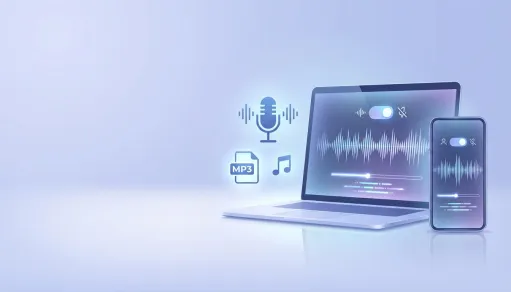
Translate Spoken Audio into Natural Audio
Turn voice recordings into translated audio so podcasts, interviews, narrations, lessons, and meeting clips can be reviewed in another language.
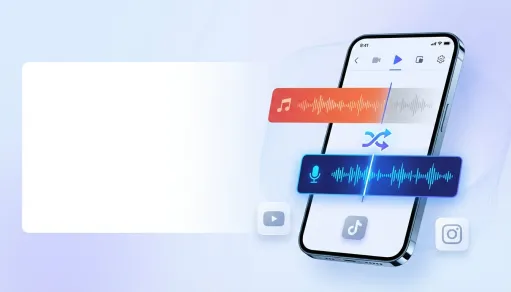
Review the Audio Transcript Before Export
Use the built-in transcript editor to compare original speech and translated text segment by segment, then refine important details before regenerating the result.
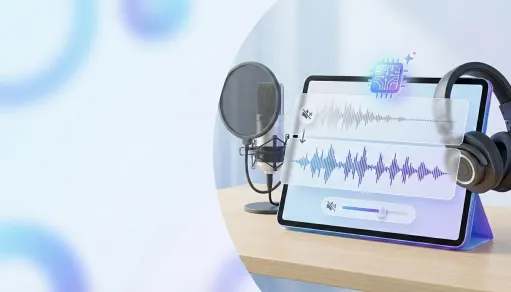
Compare Original and Translated Audio
Switch between the source file and translated audio preview to check timing, content flow, and whether the translated version is ready to download.
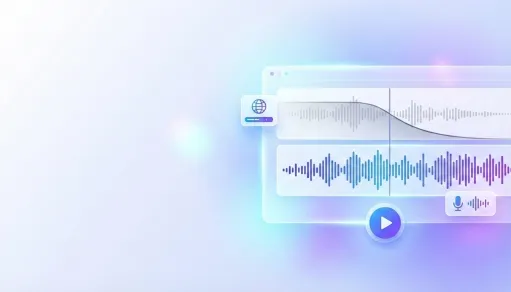
Prepare Content for Multilingual Publishing
Build translated drafts for video voiceovers, podcast localization, lessons, onboarding material, research interviews, and other spoken content workflows.
AI Audio Translator Features

Audio, Video, and Voice File Support
Upload common audio and video formats including MP3, WAV, M4A, MP4, WebM, FLAC, AAC, OGG, AIFF, OPUS, and 3GP.

Auto Source Language Detection
Start faster with automatic source language detection, or choose the source language yourself when you already know the recording language.

Multiple Target Languages
Translate audio into major target languages including English, Spanish, French, German, Portuguese, Arabic, Russian, Korean, Italian, Hindi, and more.

Editable Segment-Level Transcript
Adjust original or translated text in timed segments, then update the translated result for cleaner localization review.

Translated Audio Preview and Download
Listen to the generated translated audio, compare it with the original recording, and download the final audio file when it is ready.

Free Browser-Based Workflow
Translate audio online without installing desktop software, with free daily access available in the current workspace configuration.
How People Use the AI Audio Translator

Lena W.
Online Course Producer
The editor made it easy to clean up translated transcript segments before I downloaded the final audio for our lesson review.

Marco R.
Podcast Editor
I uploaded an interview clip, checked the original text against the translation, and had a translated audio draft ready much faster than our old process.

Priya K.
Localization Coordinator
Being able to preview original and translated audio in one place helped our team spot timing and wording issues before sharing the file.

Jordan M.
Video Producer
The tool gave me a practical audio to transcript workflow plus translation, which saved a lot of back-and-forth on multilingual video drafts.

Sofia N.
Research Assistant
I use it to understand research recordings quickly, then refine the translated text before adding notes to our project files.

Ethan C.
Content Manager
Free online access is helpful for testing short clips before deciding which recordings need a deeper localization pass.
AI Audio Translator FAQ
- ?
What is an AI audio translator?
An AI audio translator converts spoken audio into another language. This workflow can create an editable transcript, translate the speech, generate translated audio, and let you preview the result before download.
- ?
Is this AI audio translator free to use?
Yes. The current MusicRemover workspace is configured for free online access, with daily guest usage available up to the configured limit of 50 requests.
- ?
Can it work as an audio transcriber too?
Yes. The workflow includes AI transcription because spoken audio must be converted into text segments before translation and translated audio generation.
- ?
What file formats can I upload?
The upload flow supports common formats including MP3, WAV, M4A, MP4, WebM, FLAC, AAC, OGG, AIFF, OPUS, 3GP, MIDI, MID, WMA, and AIF, with files up to 500MB and 30 minutes.
- ?
Which target languages are available?
The tool currently shows target options including English, Chinese, Arabic, Russian, Spanish, French, Portuguese, German, Korean, Italian, Polish, Turkish, Dutch, Czech, Hungarian, and Hindi.
- ?
Can I edit the transcript before downloading translated audio?
Yes. After processing, you can review timed original and translated text segments, adjust wording, regenerate the translated result, preview audio, and download the updated file.
- ?
Does it translate video audio?
Yes. The upload flow accepts MP4 and other supported formats, so you can translate spoken video audio and prepare it for captions, voiceover review, or localization.
- ?
How accurate is AI transcription and translation?
Accuracy depends on audio clarity, speaker accents, background noise, and language pair. Review important names, terminology, and context before publishing.
- ?
Can I use translated audio commercially?
Commercial use depends on your rights to the source audio, the voices and content in the file, MusicRemover product terms, and the rules of the platform where you publish. Upload material you own or have permission to use.
- ?
Is my audio processed online?
Yes. The tool runs as a browser-based online workflow with upload, processing, preview, editing, and download steps, so avoid uploading private or restricted recordings unless you have permission to process them.