
Free AI Mashup Maker Online
Use this AI mashup maker to combine two songs or audio tracks online, tune each source, and create a downloadable mashup without installing music software.
More Tools


Trusted by music editors, remix workflows, lesson projects, and quick audio experiments






























How to Create a Song Mashup Online
Make a mashup from two audio files with a guided browser workflow for upload, sound adjustment, generation, preview, and download.
Upload Two Audio Files
Add two MP3 or WAV files from your device. The mashup maker needs two source tracks before it can start the mixing workflow.
Tune Each Track
Preview each track, adjust BPM, low/mid/high EQ, filter, and volume, then use Play All to hear how the sources work together.
Generate, Preview, and Download
Start the AI song mashup task, wait for the final result, preview the generated audio, and download the finished file.
What You Can Build with the AI Mashup Maker
Two-Track Song Mashups
Combine two uploaded songs or audio tracks into one generated mashup, then review whether the result is ready for your project.
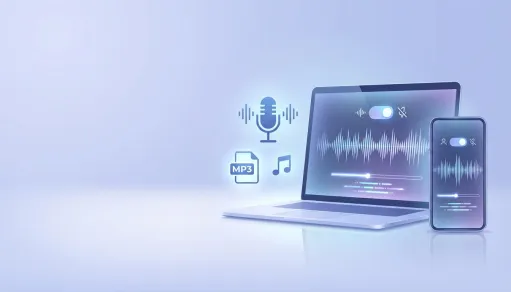
Timing and Balance Control
Adjust BPM and volume before generation so the sources feel closer in pace, loudness, and energy.
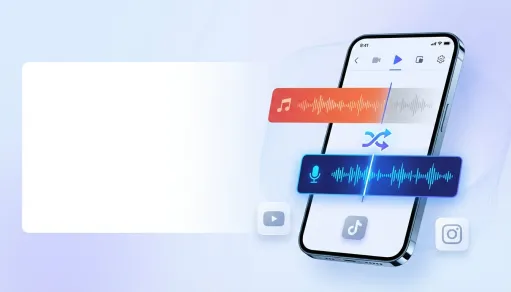
Tone Shaping Before You Mix
Use low, mid, and high EQ plus filter controls to make each track sit better before the AI creates the final mashup.
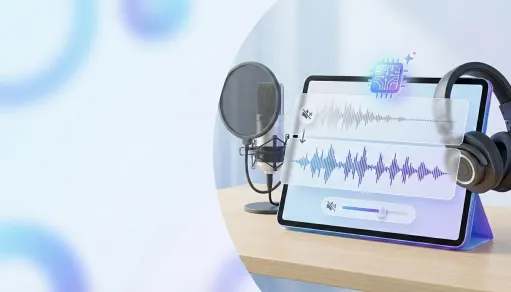
Preview-First Output Workflow
Check uploaded tracks together, create the mashup, listen to the final result, and download the audio file when it works.
Free Mashup Maker Features

Free Online Daily Access
Start with free browser-based mashup creation, with daily guest usage currently configured for up to 50 requests.

Two-File MP3 and WAV Uploads
Upload two source audio files from your device in MP3 or WAV format, with clear guardrails before the mashup starts.

BPM Control for Each Source
Change track speed before generation so your music mashup has a better chance of feeling connected.

Low, Mid, and High EQ
Shape the tone of each uploaded track with separate equalizer controls for low, mid, and high frequency ranges.

Filter and Volume Controls
Fine-tune each source with filter and volume sliders before sending the settings into the AI mashup process.

Final Preview and Download
Listen to the generated mashup in the result player, download the finished audio, or start again with two new files.
How People Use the AI Mashup Maker

Tyler G.
DJ Hobbyist

Rina T.
Short-Form Editor

Malik A.
Remix Producer

Clara W.
Music Instructor

Jon P.
Content Creator

Nadia F.
Audio Editor
AI Mashup Maker FAQ
- ?
What is an AI mashup maker?
An AI mashup maker helps combine two songs or audio tracks into a new mashup. This workflow lets you upload two files, adjust mix settings, generate a result, preview it, and download the final audio.
- ?
Is this AI mashup maker free to use?
Yes. The current MusicRemover workspace is configured for free online access, with daily guest usage available up to the configured limit of 50 requests.
- ?
What files can I upload?
The current mashup flow supports two local audio uploads in MP3 or WAV format, with a 200MB limit per file and about a 3-hour maximum source duration.
- ?
Do I need two songs to start?
Yes. The tool requires two uploaded audio files before it can open the adjustment workspace and create a mashup result.
- ?
What controls can I adjust before creating a mashup?
You can adjust BPM, low/mid/high EQ, filter, and volume for each uploaded track, then use Play All or Pause All to check how the sources work together.
- ?
What kind of songs work best?
The clearest results come from source tracks with steady beats, 4/4 time signature, and simple chord movement such as Am, F, C, and G.
- ?
Can I download the mashup?
Yes. After the AI song mashup task finishes, you can preview the final result and download the generated audio file.
- ?
Does this replace DJ software or a DAW?
It is built for fast online mashup creation and idea testing. A DAW or DJ app may still be useful for advanced arrangement, transitions, mastering, or live performance preparation.
- ?
How good will the mashup sound?
Quality depends on the original files, timing, song structure, volume balance, and the settings you choose. Preview the result before using it in a project.
- ?
Can I publish or monetize a mashup I make here?
Publishing or commercial use depends on your rights to the source songs, samples, vocals, and instrumentals, plus MusicRemover product terms and destination platform rules. Upload material you own or have permission to use.